


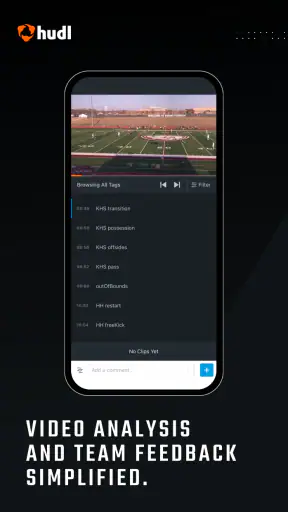
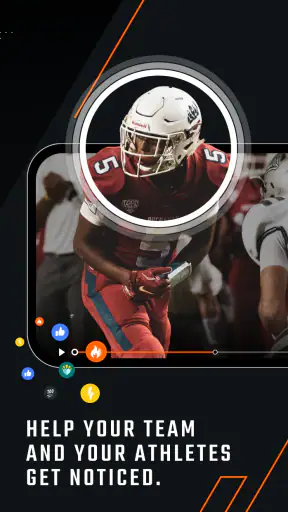
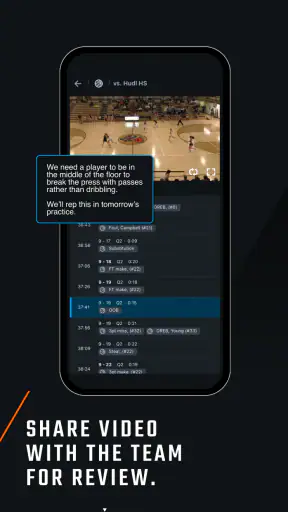
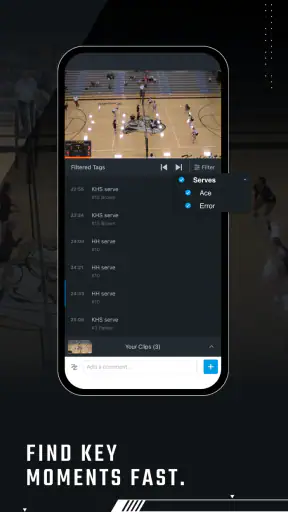
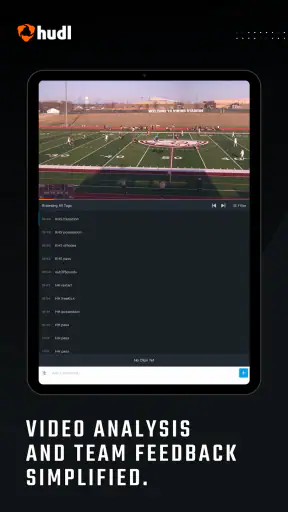
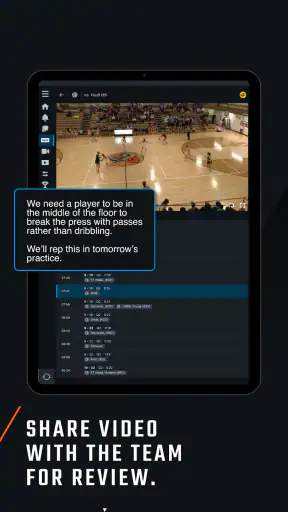
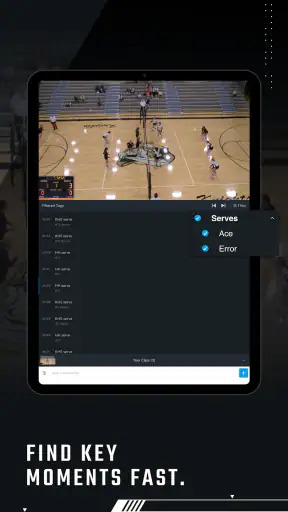
I found Hudl most useful when I stopped treating it as a simple sports video player and started using it as a shared review workspace. The app, made by Hudl, Inc., is built around one practical idea: coaches and athletes can use recorded video to understand performance, prepare for the next contest, and discuss specific moments without relying only on memory. That makes it a very different kind of sports app from a live-score service or a workout tracker.
My experience was strongest when the video already had a purpose. A team can record a match, return to key sequences, and use the footage as the basis for a conversation. An athlete can revisit technique, positioning, timing, or decision-making. The value is not simply watching the game again; it is creating a repeatable habit of looking at evidence before making changes.
Hudl is free to install and aimed at Everyone, so it is approachable for families, players, and volunteers as well as more organized teams. It has been available since July 20, 2011, and its Android listing shows over a million installs. Those figures suggest a mature product with a broad audience, although the average rating of 3.4 from around 20 thousand ratings also tells me that the experience is not equally smooth for every user or every device.
How I would build a reliable Hudl routine
Start with one clear reason to open the app
The easiest way to get lost in sports video is to open a full recording without knowing what you want to find. I prefer beginning with a narrow question: Was the defensive line staying compact? Did a runner make the right choice? Was a serve receive position causing trouble? A specific question turns a long session into a short review with an outcome.
For a coach, the baseline workflow is straightforward. Open the relevant video, locate the portion that matters, and review it with the athlete or group while the action is still easy to remember. I would avoid trying to analyze every possession in one sitting. Instead, I would choose a handful of representative moments: one successful example, one clear mistake, and one sequence that needs discussion.
For an athlete, Hudl works best as a learning tool rather than a source of reassurance. Watching only highlights can feel encouraging, but it rarely explains why a play worked. Full-match footage is more valuable when I compare the preparation before an action with the result. The few seconds before a pass, shot, tackle, or movement often reveal more than the final outcome.
Make review a conversation, not a verdict
Video can easily become a way to prove that someone was wrong. I found it more productive when the review began with a question. “What did you see here?” gives the athlete room to explain the decision before the coach offers an interpretation. That approach also exposes whether the problem was technical, tactical, or simply a moment of incomplete information.
A useful habit is to separate controllable choices from uncontrollable results. A good decision can still produce a poor outcome, while a risky decision can occasionally succeed. Hudl gives the discussion a visual reference, but it does not replace coaching judgment. The person reviewing the clip still needs to explain what should change in the next training session.
For families watching youth sports, this distinction matters even more. I would use the app to identify one or two teachable moments, not to turn every match into a detailed performance audit. Too much criticism can make recorded sport feel stressful. The app is most helpful when the video supports confidence and understanding rather than becoming a scoreboard for every mistake.
Use the video before and after competition
Hudl is not limited to post-match analysis. Before a contest, a team can revisit its own patterns and prepare around situations that repeatedly cause trouble. Afterward, the same footage can show whether the plan worked. This creates a useful loop: prepare, compete, review, and adjust.
I would keep the pre-match session short and selective. The goal is recognition, not information overload. A player who sees too many clips may remember none of them under pressure. A few carefully chosen examples are easier to connect with a training cue.
After the match, I would first watch without constantly stopping. That gives a sense of rhythm and context. On a second pass, I would pause around the moments that answer the original question. This two-stage approach is one of the simplest ways to avoid confusing isolated incidents with genuine patterns.
Settings worth checking before serious use
The most important settings are the ones that affect how comfortably you can review video. I would check notification behavior first. If the app is used by a busy team, frequent alerts can make it feel noisy, while too few reminders may cause players to miss an important review. The right balance depends on whether Hudl is a daily coaching tool or something opened only around matches.
I would also review how the app behaves on the phone or tablet that will be used courtside or beside the pitch. Video review is more demanding than reading text, so screen brightness, battery condition, and available storage can matter in real use even when the app itself is working correctly. A larger screen is generally more comfortable for group discussion, while a phone is more convenient for a player reviewing a clip alone.
The current Android version is 8.24.0 and requires Android 12 or later. That requirement is worth checking before a team standardizes on the app, especially if players use older phones. A coach may have a recent device while several athletes do not, and that difference can undermine a shared workflow.
I would also make sure everyone understands which account or team space they are using before uploading or reviewing anything. Confusion at this stage can waste more time than the actual video analysis. A simple team convention for naming sessions and identifying opponents makes later searching easier, even if the convention is maintained outside the app.
Small habits that make review faster
My first practical shortcut is to keep a written list of review questions beside the session. Instead of repeatedly scrubbing through the same recording, I would note the moment and the question it raises. This prevents circular viewing and makes the next coaching conversation more focused.
My second habit is to review in layers. The first layer is the broad flow of the contest. The second is the team shape or unit behavior. The third is the individual action. Jumping directly to individual mistakes can hide the team movement that created the situation. Hudl becomes more useful when the viewer changes scale deliberately.
A third useful pattern is to connect every video observation to a training action. If the footage shows late defensive movement, the next step should be a drill or constraint that addresses that movement. If the review ends with a pile of observations but no change in practice, the app has become an archive rather than a coaching tool.
I also recommend giving players a consistent order for self-review. For example, they can first identify what they expected to happen, then describe what actually happened, and finally choose one adjustment. This keeps the process manageable and helps athletes become less dependent on a coach to interpret every clip.
Where Hudl compares well with ordinary alternatives
The usual alternative is a camera roll full of match recordings. That approach is inexpensive and familiar, but it often leaves the coach searching manually for the relevant sequence. Hudl is more valuable when a team needs video to support an ongoing review process rather than simply store a file.
Another alternative is a general cloud storage service. Cloud folders can hold recordings, but they are not designed around the language and habits of sports analysis. They may be perfectly adequate for occasional sharing between a few people. I would choose that simpler route when the only requirement is sending a recording to an athlete or parent.
Live-score and sports-news apps serve a completely different purpose. They tell me what happened in a competition, while Hudl helps me inspect how it happened. If I only want fixtures, results, or quick updates, Hudl is unnecessary. If I need to study positioning and decisions, a score app cannot replace video.
Basic phone editing tools can also be useful for a one-off highlight. They are often faster for trimming a short clip or making a personal montage. Hudl makes more sense when the objective is learning, shared discussion, and repeated review. The trade-off is that a dedicated sports workflow can feel heavier than simply opening a video in the gallery.
Advanced use without pretending the app does the coaching
Experienced users should resist the temptation to collect every possible observation. A better advanced workflow is to define a small set of recurring themes for a season or training block. For example, a team might repeatedly examine transition speed, spacing, communication, or shot selection. The exact themes depend on the sport, but the principle is the same: consistent questions make progress easier to recognize.
I would also compare similar situations rather than isolated highlights. One successful play can be an accident; several similar plays reveal a habit. Reviewing a successful and unsuccessful example side by side can show which preparation step changed. That is a more useful lesson than telling an athlete simply to “do it better.”
There is a limit to what video can reveal. A recording may show body position and movement, but it cannot automatically explain fatigue, pain, confidence, instructions that were heard incorrectly, or what a player saw outside the camera frame. I would treat the footage as evidence, not as a complete account of the athlete’s experience.
Camera position creates another important limitation. A poor angle can make spacing difficult to judge, hide an off-ball run, or distort the apparent timing of an action. Before drawing a strong conclusion, I would ask whether the recording actually shows the relevant area. If it does not, the honest answer may be that the clip is suggestive rather than decisive.
Who should use it, and who should skip it?
I would recommend Hudl to coaches who regularly use video in training, athletes who want to understand their own decisions, and teams that need a common place for performance conversations. It is especially suitable for people willing to establish a routine instead of expecting the app to produce instant improvement.
It is also useful for an athlete who learns visually. Some players understand a correction much faster when they can see their starting position, movement, and result. For them, a short review can be more memorable than a long verbal explanation.
I would skip it if I only wanted scores, news, schedules, or casual sports entertainment. I would also hesitate if my device cannot meet the Android requirement, if I rarely record matches, or if nobody on the team has time to review footage thoughtfully. Video creates value only when someone turns it into a decision or a training change.
Teams should also consider the emotional side. A highly competitive environment can misuse any analysis tool by focusing on blame. If players are not ready for constructive review, a simpler approach may be better until the coaching culture improves. The app cannot solve that problem by itself.
My verdict after using it as a repeatable tool
Hudl’s strongest quality is not that it puts sports video on a phone. Its strength is that it encourages a more deliberate relationship with recorded performance. When I use a clear question, review in stages, and connect observations to practice, the footage becomes genuinely useful.
The friction is equally clear: video takes time, good analysis requires judgment, and older devices may not meet the current Android requirement. The average rating of 3.4 suggests that some users encounter an experience that does not fully match their expectations, so I would test the workflow with one team or one athlete before making it central to every session.
Still, for the right audience, the free price makes experimentation easy. Hudl is not the best choice for casual sports browsing, but it is a sensible choice for coaches and athletes who want a repeatable video habit. My recommendation is to begin with one match, one question, and one training adjustment. If that small loop improves the next session, the app has already earned a permanent place in the workflow.
My final advice: use Hudl as a tool for better questions, not as an automatic judge of performance. That mindset brings out its real value while keeping its limits in view.


